Krita: Professional Free Digital Painting Software
← Back to Open Source
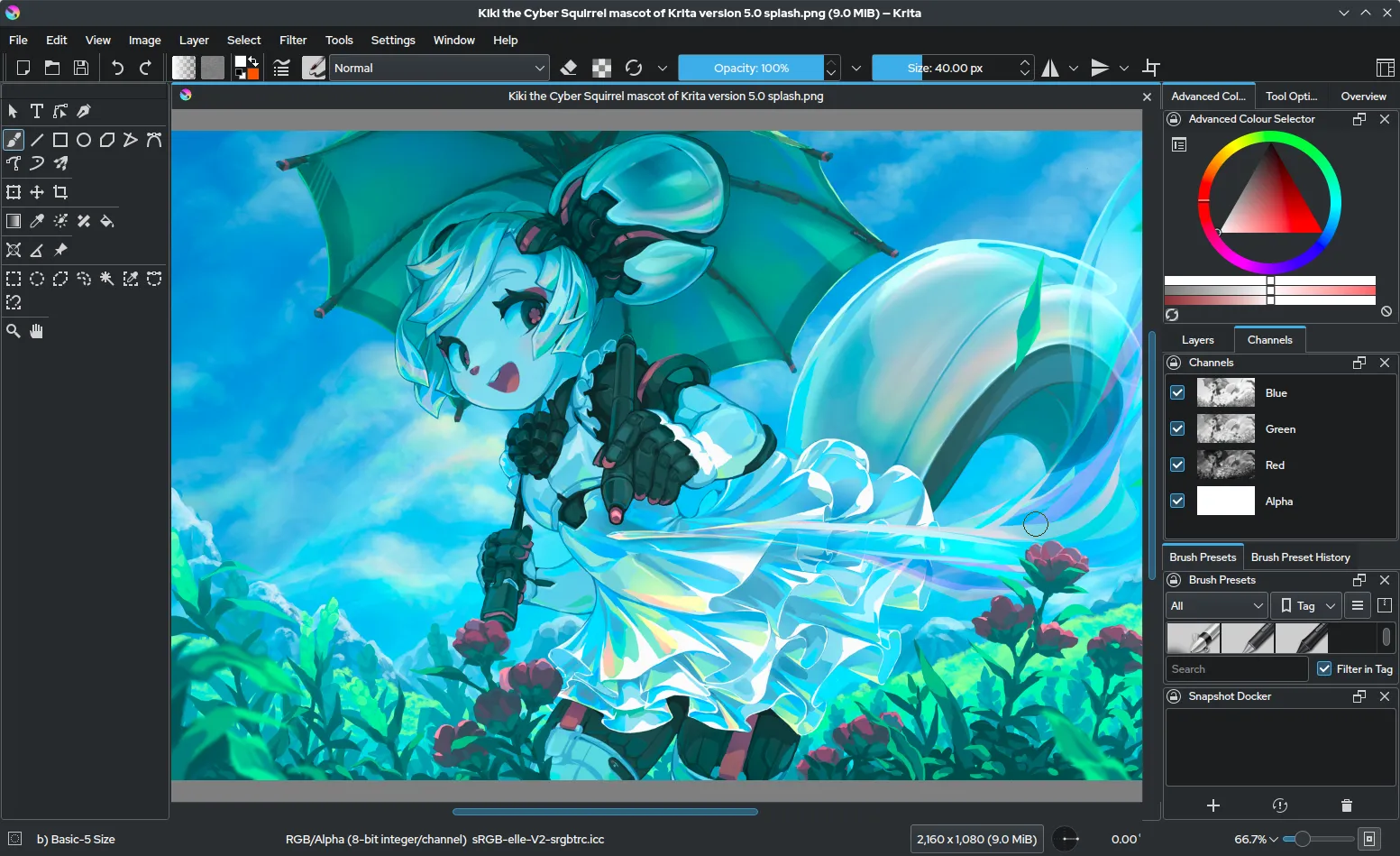
Image: Wikimedia Commons (GPL)
Overview
Krita is a professional free and open-source painting program created with the needs of digital artists in mind. Originally developed as a successor to KImageShop, Krita has grown into one of the most comprehensive painting applications available, rivaling industry giants like Photoshop and Corel Painter. It is part of the KDE project and runs on Windows, macOS, Linux, Android, and ChromeOS, making it accessible to a vast audience of creators across different platforms.
The software is particularly renowned for its powerful brush engine, which offers over 100 professionally designed brushes out of the box, along with the ability to create and customize your own. Krita supports a full range of professional features including layers, masks, blend modes, color management, and a non-destructive workflow. It is used by concept artists, illustrators, comic book creators, matte painters, and texture artists in studios around the world. Thanks to its active community and dedicated development team, Krita continues to evolve with regular updates that introduce new features, performance improvements, and refinements based on real-world artist feedback.
Key Features
- Advanced Brush Engine: Over 100 customizable brushes with support for brush stabilizers, smoothing, and a brush editor that lets you tweak every parameter. The engine supports both raster and vector brushes, giving you precise control over every stroke.
- Layer Management: Full layer system with group layers, filter layers, adjustment layers, layer masks, transparency masks, and clipping masks. You can also use the powerful layer stack to organize complex compositions efficiently.
- Animation Tools: Built-in 2D animation capabilities with onion skinning, timeline management, and frame-by-frame animation. Krita can export animations as GIF, MP4, or sprite sheets, making it a complete tool for animators.
- Professional Color Management: Full ICC color management, support for high bit depth (16-bit integer, 16-bit floating point, and 32-bit floating point), HDR painting, and a wide range of color spaces including sRGB, Adobe RGB, and ProPhoto RGB.
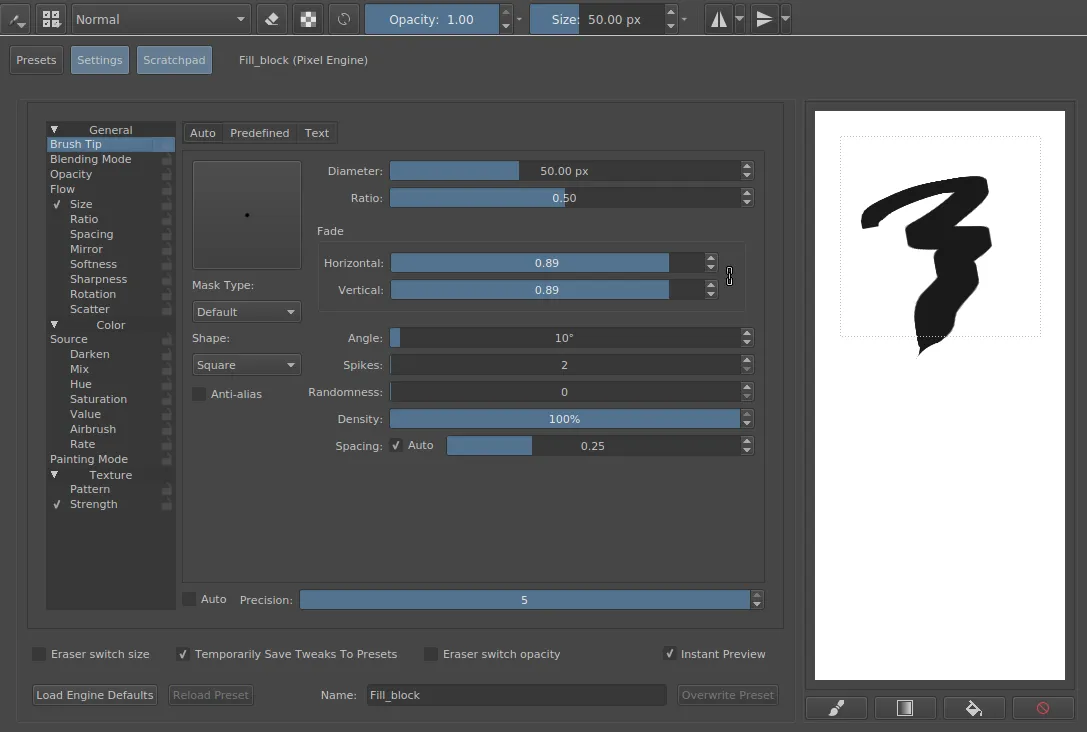
Image: Wikimedia Commons (GPL)
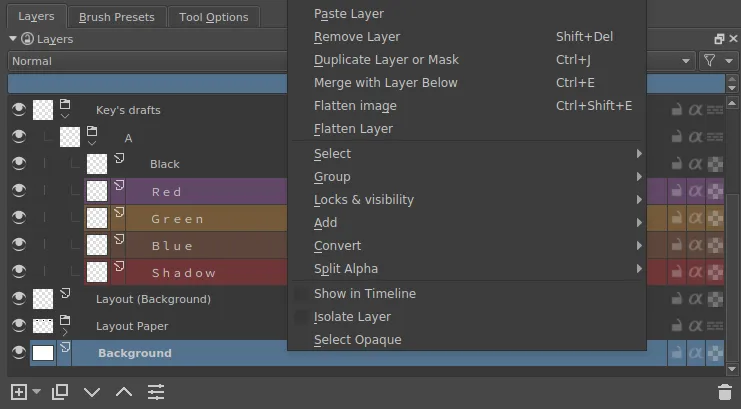
Image: Wikimedia Commons (GPL)
Why Choose Krita?
Krita stands out because it was designed specifically for digital painting rather than photo manipulation or graphic design. Its interface is optimized for a drawing workflow, with customizable dockers, pop-up palettes (the "Krita Canvas" menu), and a color wheel that puts everything you need at your fingertips.
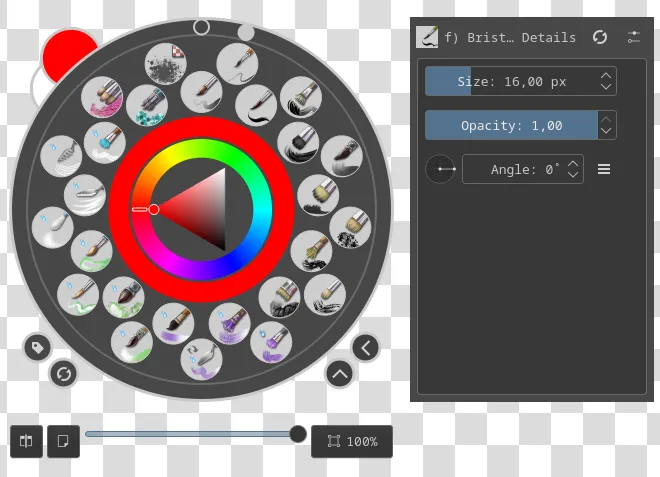
Image: Wikimedia Commons (GPL)
The software also features wraparound mode for seamless texture painting, a dedicated comic book creation toolset with panel templates and speech bubbles, and extensive file format support including PSD, TIFF, PNG, JPEG, and OpenRaster.
Beyond its technical capabilities, Krita has a welcoming and supportive community. Beginners can take advantage of extensive tutorials, documentation, and a forum where artists help each other. The software is completely free with no premium tiers or locked features, which means every user gets the full power of Krita regardless of their budget. This ethos of accessibility democratizes digital art creation and empowers artists in every corner of the world.
Get Started
Visit the official website to download: https://krita.org/en/
Krita is free and open-source. No subscriptions, no hidden costs.